---------------------------------------------------
【Voltage Compatibility】
Our products are selected to support international voltage ranges (e.g. 100–240V).
However, please make sure your local voltage is compatible before use, as incorrect voltage may still cause malfunction.
【Plug Type】
Our products use Japanese plug types (A or B type).
Please use a conversion adapter if necessary.
【Important Note on Transformers and Adapters】
A transformer adjusts voltage to match your device’s requirements.
A conversion adapter only changes the plug shape and does not adjust voltage.
Using only a conversion adapter without a transformer may result in damage to the product.
【Liability】
We are not responsible for malfunctions or damages caused by improper use, such as operating the product without appropriate voltage or equipment.
---------------------------------------------------
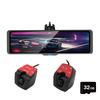
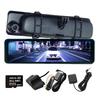
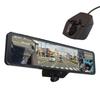
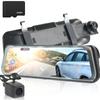
[Uses a 10-inch size that is ideal for the interior of compact cars and light vehicles] Designed to be almost the same size as the original rearview mirror of a standard car, it reduces interference with items around the rearview mirror and sun visors even after installation, allowing the visors to be used.
[Adjustable rear camera display area (zoom/shrink)] In the settings menu, you can also adjust the rear camera magnification (display range adjustment) from 1X to 15X. You can switch to the magnified screen with a simple operation.
[Front and rear cameras feature HDR for clear nighttime images!] The front and rear cameras use image sensors (HDR compatible) that are resistant to backlight, correcting for differences in brightness to provide clear, beautiful images. This enhances visibility in bad weather (rain, snow, fog, and frozen roads at night). The night vision function also improves visibility at night, allowing for clearer nighttime images to be recorded.
[Back-up Linkage Support] By connecting the back-up linkage line to the reverse lamp wiring, the rear camera screen can be displayed automatically when the vehicle is in reverse gear. You can also display/hide the parking back-up guide lines and adjust the lines in the settings menu.
[GPS function supported (requires optional GPS antenna: MDR-GPS01)] By connecting the optional GPS antenna, you can display the vehicle's speed and heading information obtained by the GPS antenna on the screen. In addition, vehicle position, speed, and heading data are saved along with the recorded data and can be easily played back using dedicated playback software (on a PC). Furthermore, the date and time information is automatically corrected when a GPS signal is received, eliminating the need to manually set the time.